

What is the DVR feature?
DVR (Digital Video Recorder) is a feature that allows your viewers to pause and rewind the broadcast. DVR is based on caching technology. When you enable the feature, we cache the last 1 hour of your live stream by default. If your stream runs longer than 1 hour, viewers can rewind only within that most recent hour. Example of how the DVR window works for a live stream that has already been running for more than 1 hour:Use the DVR feature
1. Create a new live stream according to the Create a live stream guide or open an existing live stream. Complete the remaining steps on the Live stream settings page.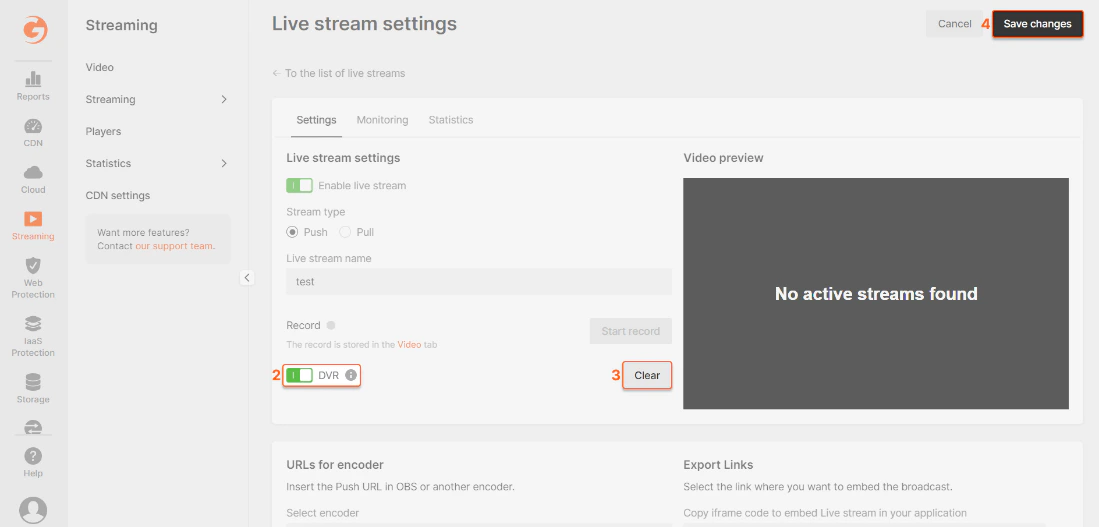
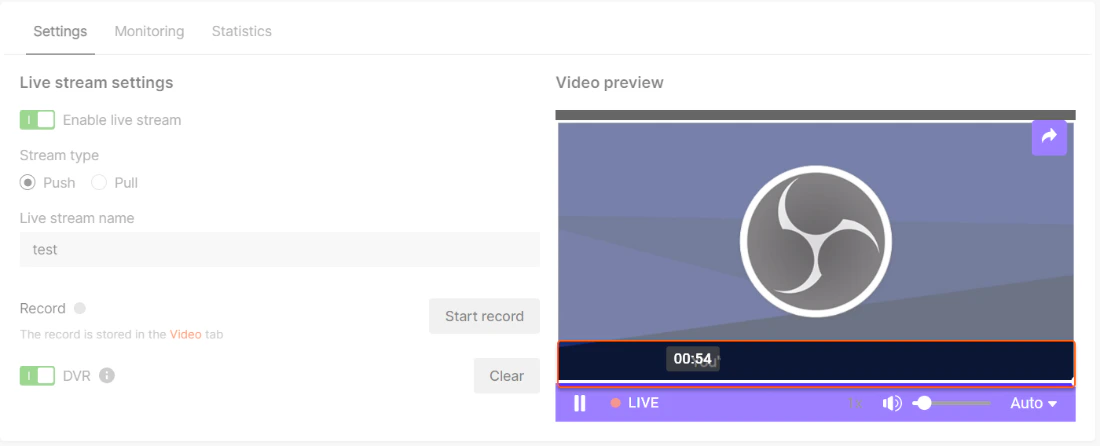
Change DVR window
By default, the DVR window is 1 hour. If your live stream runs longer than that, viewers can still rewind only within the most recent hour unless you increase the DVR duration. The DVR window can be extended to up to 4 hours. To enable a longer DVR window for your account or stream, contact us. After the longer DVR duration is enabled, video engineers can set the DVR window per stream through the API. This cannot be configured in the UI. For more details, see the API documentation: PATCH /streaming/streams/ For Enterprise customers, a DVR window of up to 24 hours is available as an optional configuration.DVR demo
See more demos on the demo page: https://gcore.com/streaming-platform/features-demo/dvr