

What is multicamera?
Multicamera is a feature used to combine two or more live streams into one player. You deliver several streams at once, and a user can switch between them using a button in the video player.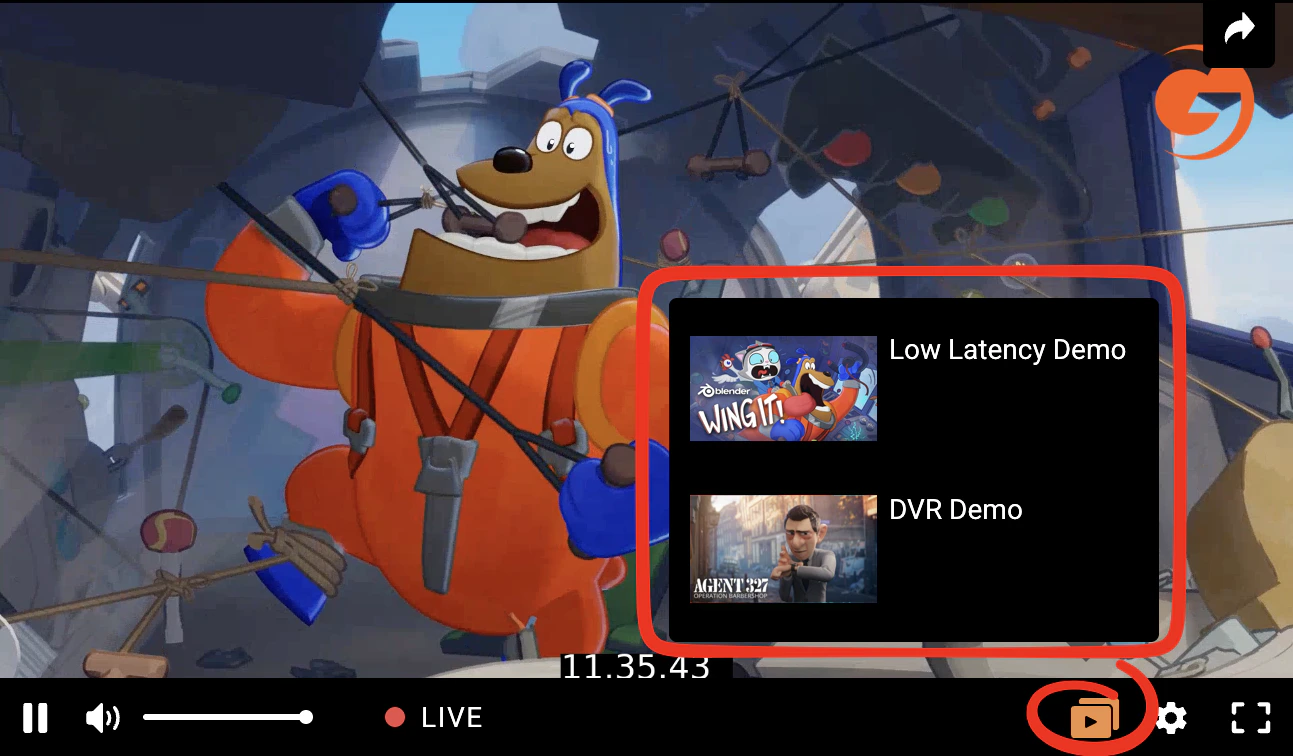
Configure multicamera
Create at least two live streams before you configure the Multicamera. To do this, you can use our guide: Create a live stream. 1. Click Create a multicamera, enter the name (it will be displayed only in the Gcore Customer Portal and will be invisible to viewers), and select the live streams you want to combine. Click Create. You can also select only one stream.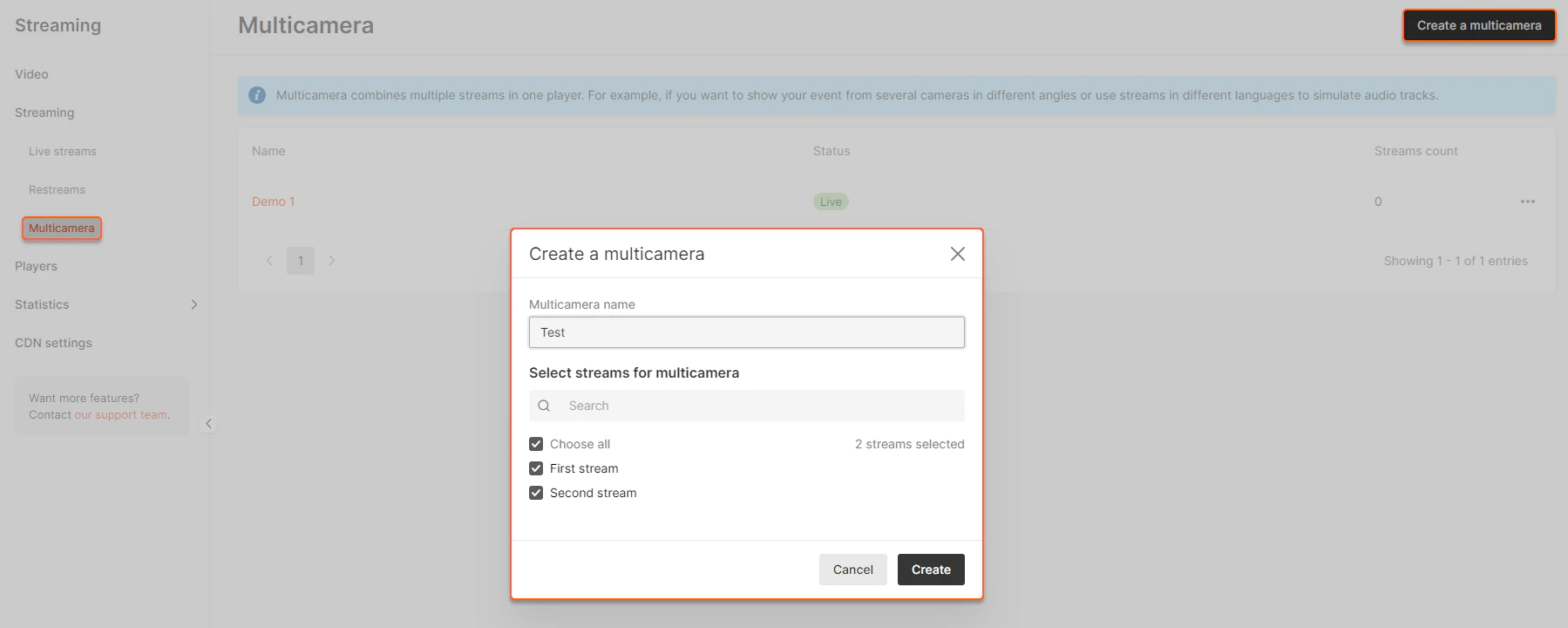
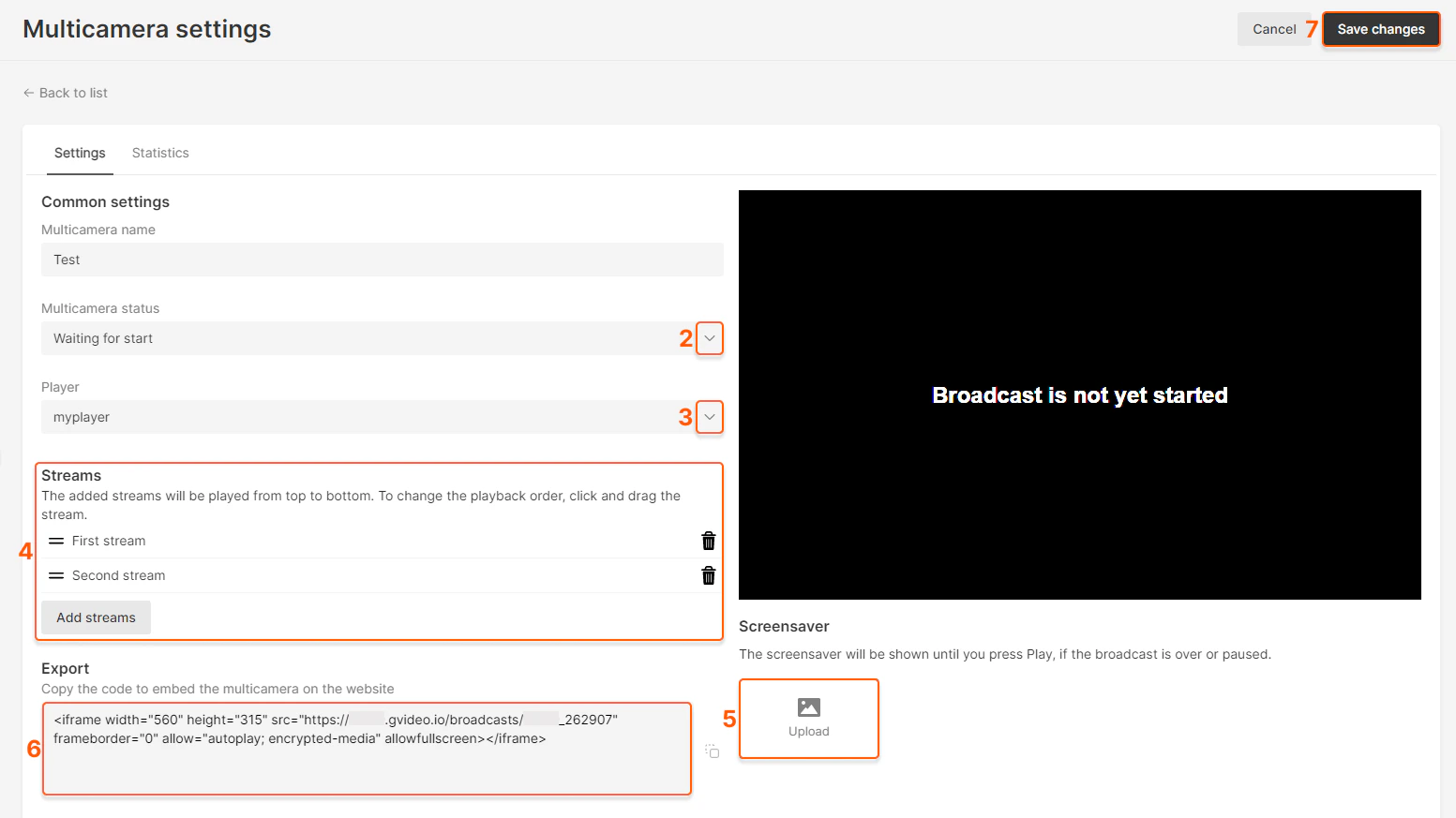
- Live — your stream
- Waiting for Start — a black screen with the “Waiting for Start” message or a screensaver from Step 4 of this guide
- Paused — a black screen with the “Paused” message or a screensaver from Step 4 of this guide
- Ended — a black screen with the “Ended” message or a screensaver from Step 4 of this guide
Demo multicamera
See more demos on the demo page: https://gcore.com/streaming-platform/features-demo/multi-camera